Octopus Feature Flags support toggling features on or off in real-time, without redeploying, and progressively releasing changes to subsets of your users.
Octopus Feature Flags are currently in Alpha, available to a small set of customers.
If you are interested in this feature please register your interest on the roadmap card and we’ll keep you updated.
Usage
Create a Feature Flag
Feature Flags are located within Octopus Projects: Project ➜ Feature Flags
Create a new Flag and give it name.
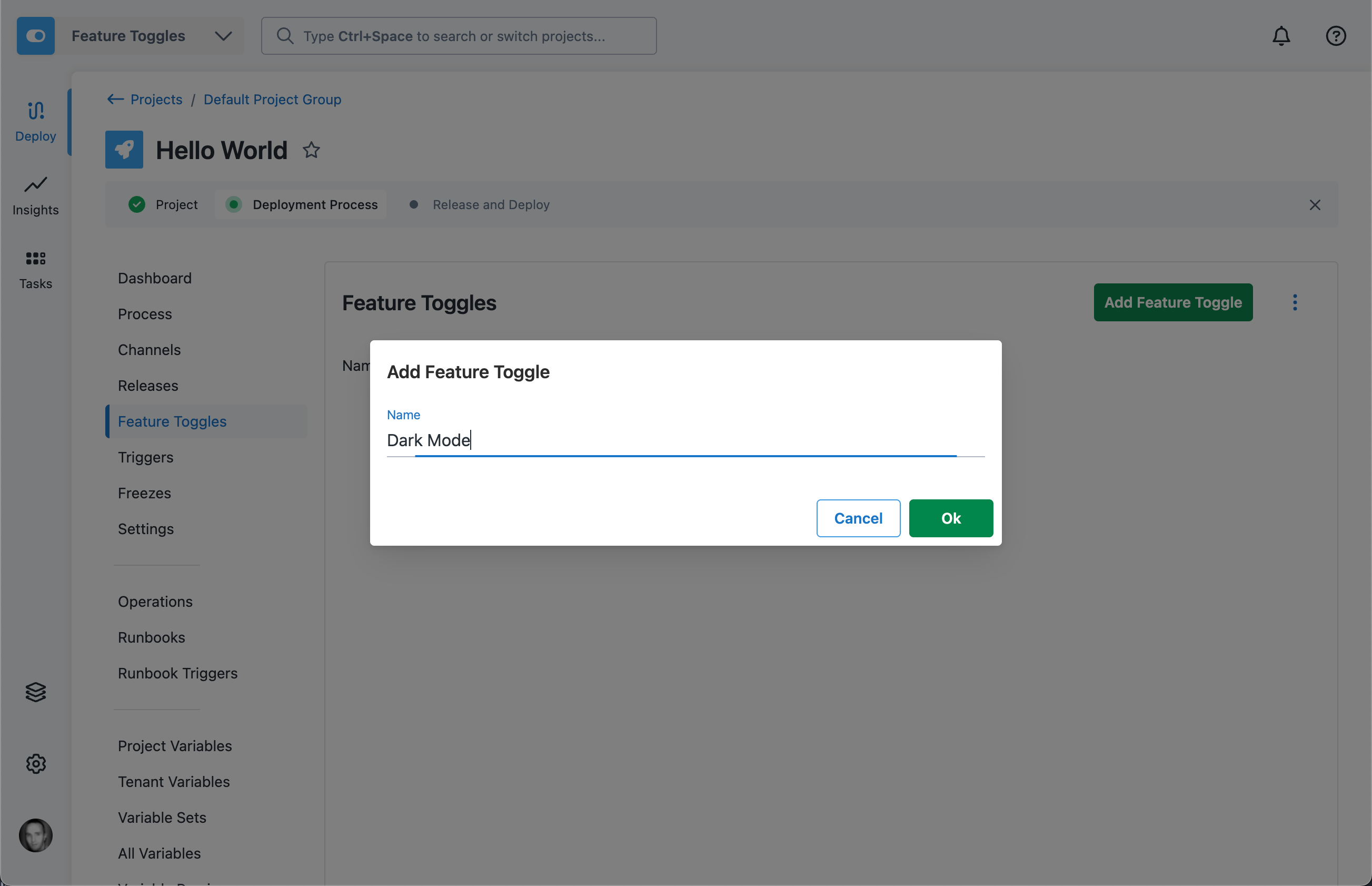
Configure OpenFeature in your client application
Octopus Feature Flags rely on OpenFeature as the client SDK.
Follow the OpenFeature guide for installing the SDK for your language into your application.
Configure OpenFeature to use the Octopus Provider.
The Octopus OpenFeature Provider requires a client identifier when instantiated. This is a JWT which specifies the Octopus Project, Environment, and Tenant (if applicable). This tells the Octopus Feature Flag service which set of flags to evaluate.
The Octopus Feature Flag client identifier is available via the Octopus variable Octopus.FeatureToggles.ClientIdentifier or via the Feature Flag UI (see below).
For applications deployed by Octopus, the recommended way is to have Octopus inject the client identifier as part of deployment, for example by injecting it into a configuration file or environment variable. The client identifier is made available via the Octopus variable Octopus.FeatureToggles.ClientIdentifier.
For applications not deployed by Octopus, or cannot have the client identifier supplied during deployment for any reason, the client identifier can be obtained via the portal UI, as shown below.
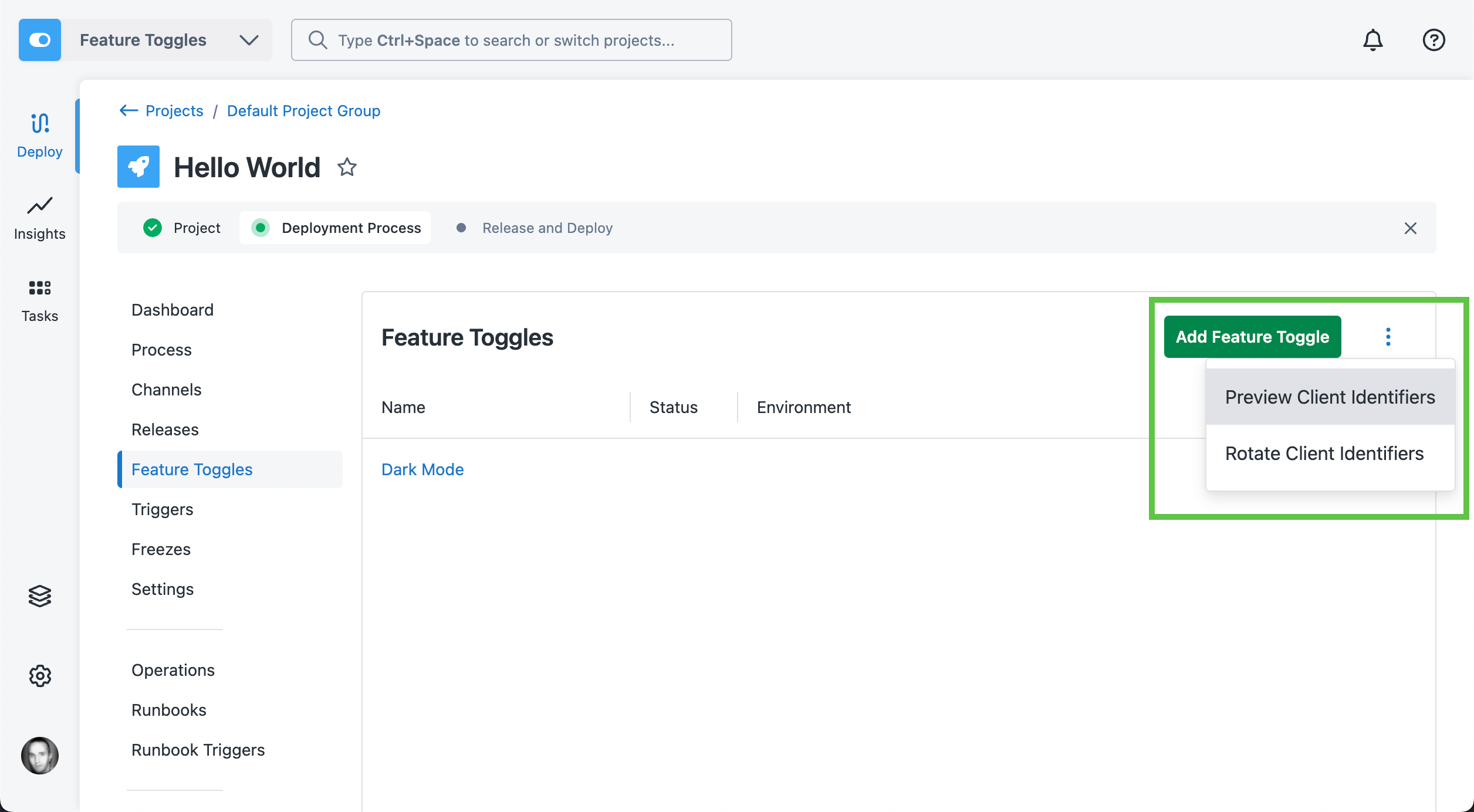
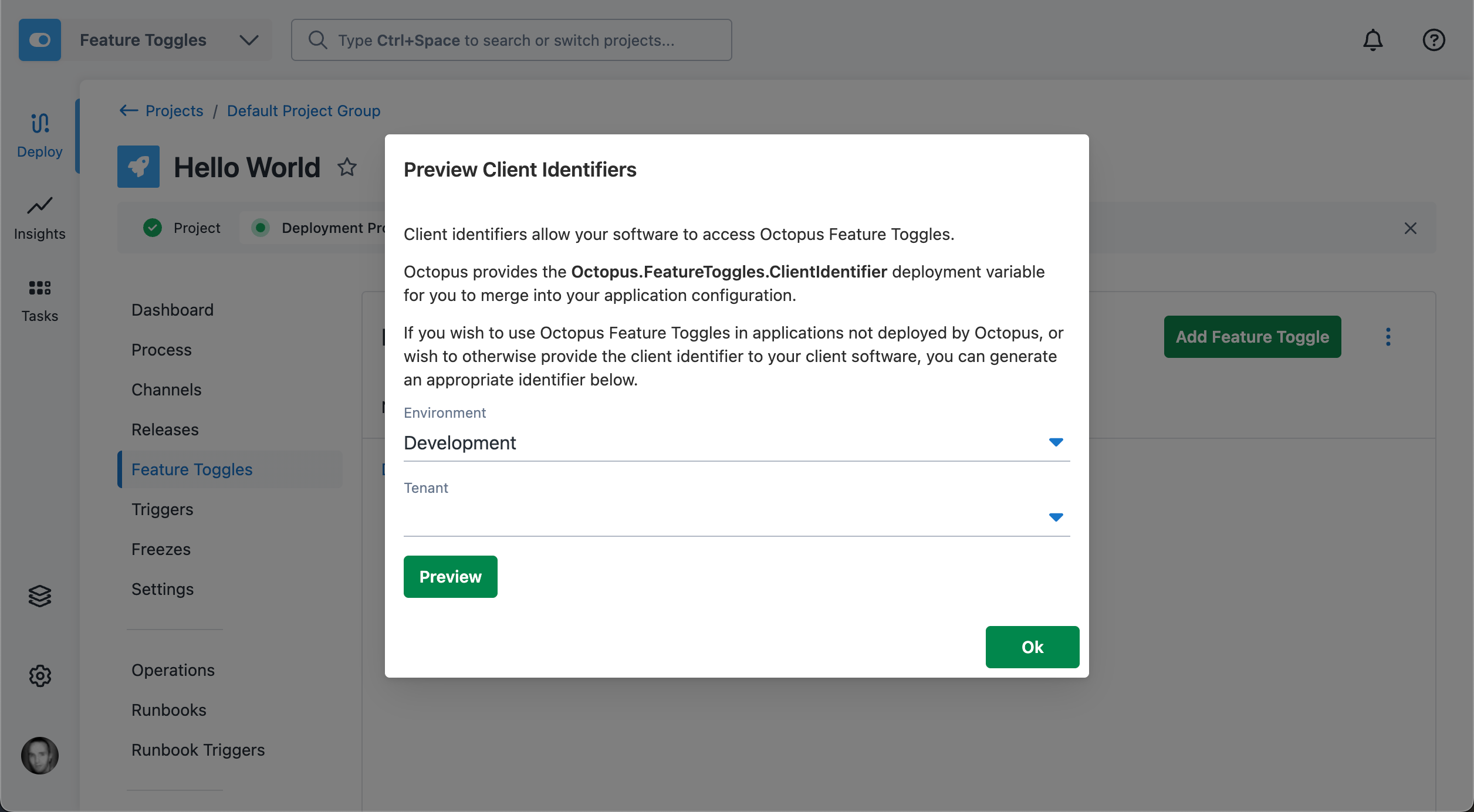
The previewed client identifier may then be copied into your application configuration.
For example, an ASP.NET application could have an appsettings.json file which contained the following:
{
  "FeatureToggles": {
    "ClientId": "#{Octopus.FeatureToggles.ClientIdentifier}"
  }
}
This would be transformed during deployment by Octopus to contain the correct client identifier for the current Project and Environment.
This would then be used during application startup to configure the OpenFeature with the Octopus Provider, similar to:
// Retrieve client identifier from config
var builder = WebApplication.CreateBuilder(args);
var octopusFeatureTogglesClientId = builder.Configuration["FeatureToggles:ClientId"] ?? "";

// Instantiate the Octopus Provider
var octopusProvider = new OctopusFeatureProvider(new OctopusFeatureConfiguration(octopusFeatureTogglesClientId));

// Set Octopus as the OpenFeature provider
await OpenFeature.Api.Instance.SetProviderAsync(octopusProvider);
Evaluate a Flag
The Provider for each language documents how to evaluate flags.
You will need the Flag slug in order to reference the flag in code. This can be found in the Octopus portal:
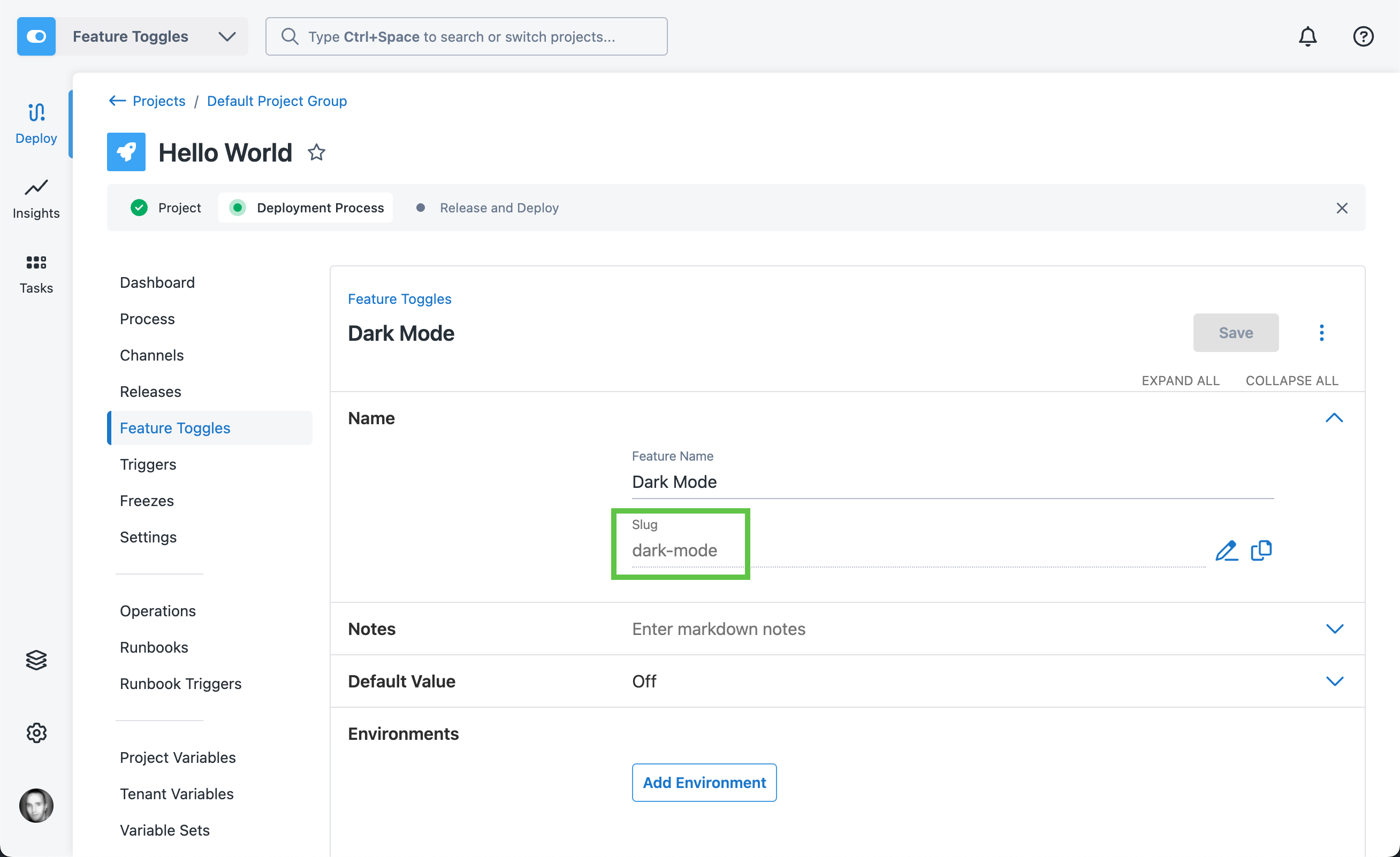
Below is an example of evaluating the flag with slug dark-mode in C#:
var darkModeEnabled = await featureClient.GetBooleanValueAsync("dark-mode", false);The second argument is the default value. Read more about default values below.
Rollout
To enable your flag for an environment, add the environment to the Flag.
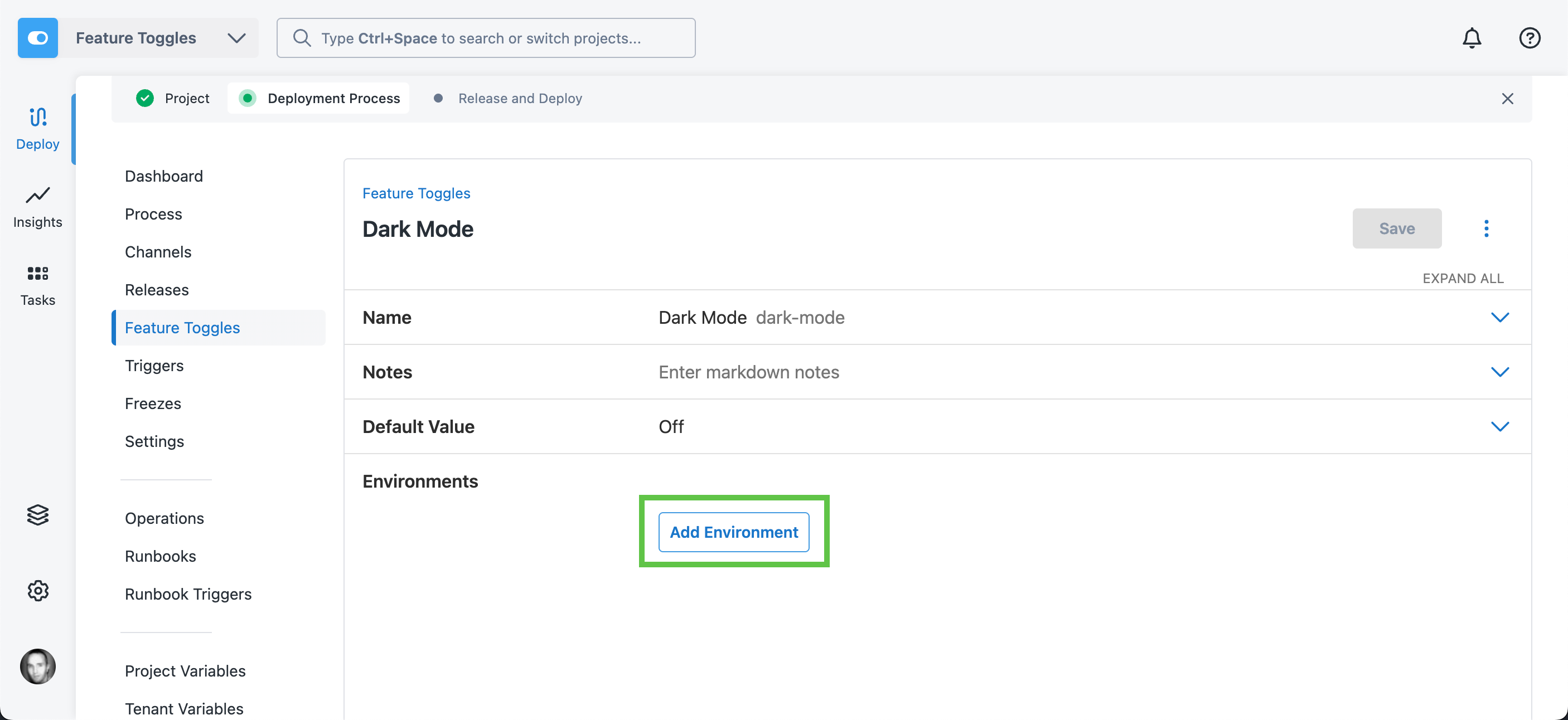
Select your environment, and whether you want the flag on or off.
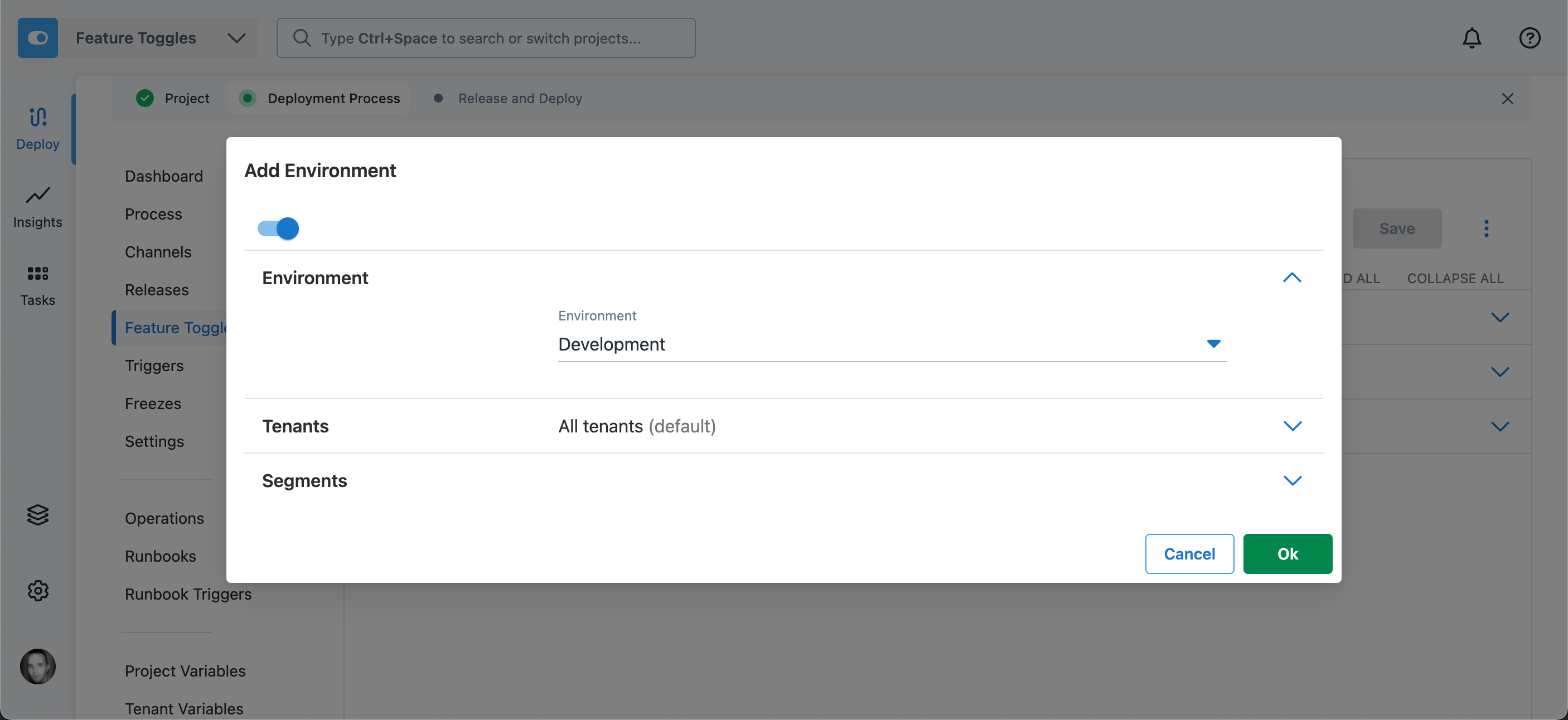
You can additionally control rollout within an environment. See Feature Flag targeting for more information.
Default Values
Flag default values are configured both on the Flag in Octopus, and at the evaluation site in your client application. It’s important to understand how these interact.
The default value on the Flag in Octopus will be returned if the environment being evaluated has not been configured with an explicit value.
In the example below, the Production and Staging environments have values configured. The default value for the Flag is Off. If an evaluation is made by an application running in the Development environment, or any other environment not configured, it would receive the default value (Off).
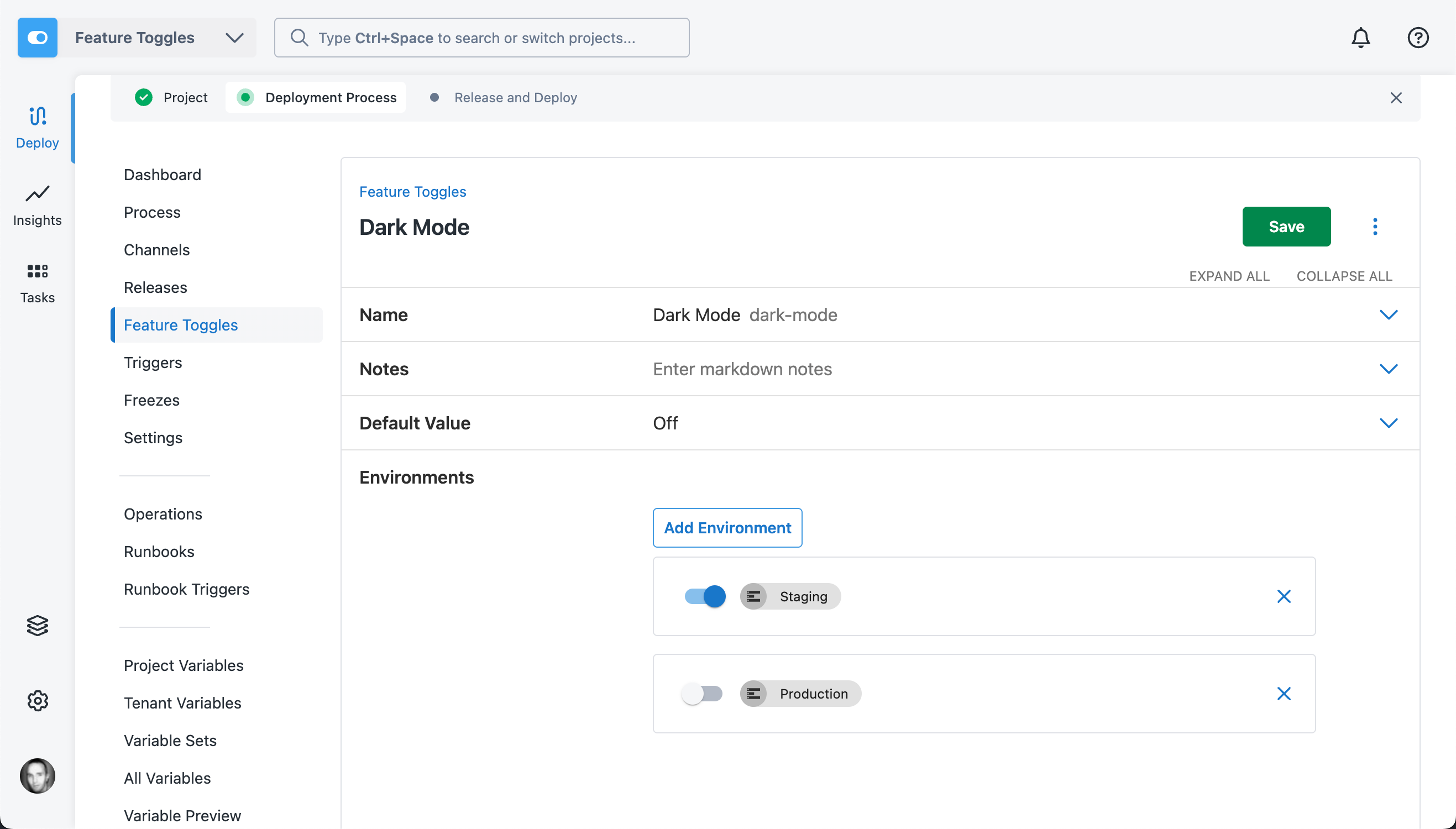
The default value supplied in client code (the false argument in the example below) will only be used if the Octopus Feature Flag service cannot be reached, for example if there are network issues or the service is unavailable.
var darkModeEnabled = await featureClient.GetBooleanValueAsync("dark-mode", false);Help us continuously improve
Please let us know if you have any feedback about this page.
Page updated on Tuesday, June 2, 2026